Features
The whole formulation workflow in one place.
Below is the typical process of nutrition-based food product development, fully supported by RecipeMaster.cloud, from the first raw material specification to the final PDF.
-
Step 1 of 12
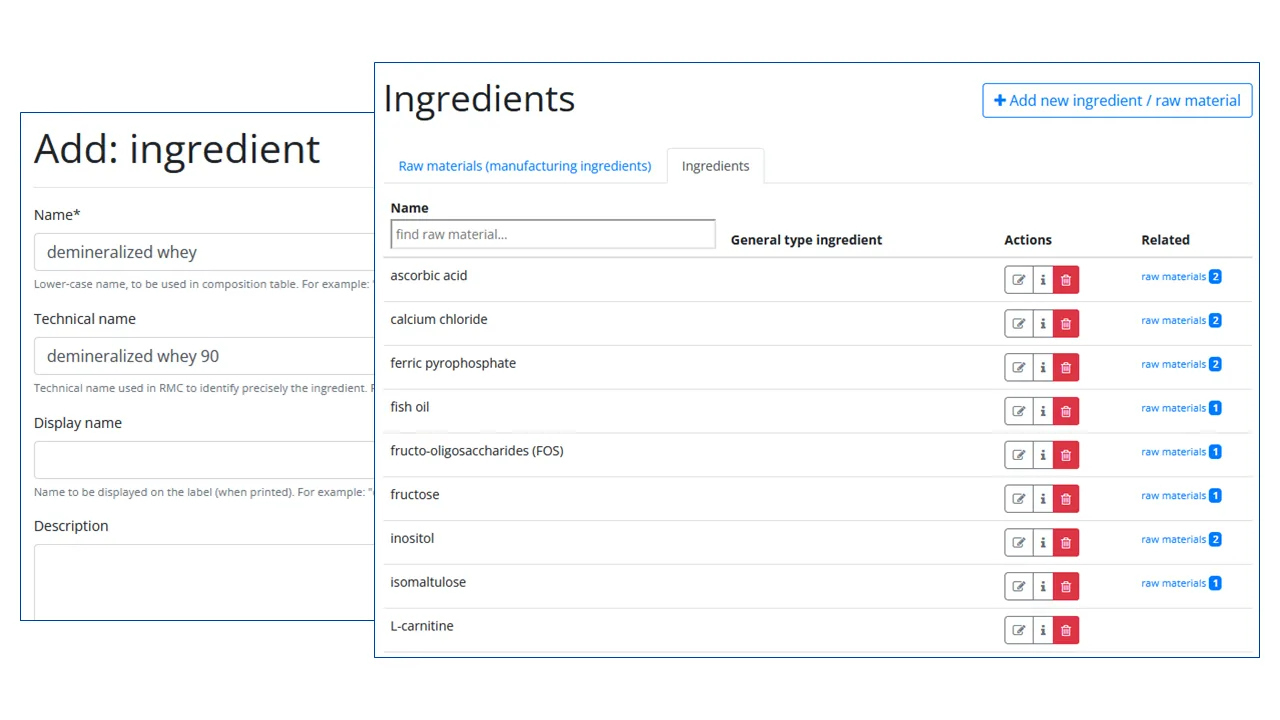
Define ingredients which will be on the labels of your products
Input into the system all low-level ingredients which you do not purchase yourself directly, but which are part of the raw materials which you have available and use to produce your products.
-
Step 2 of 12
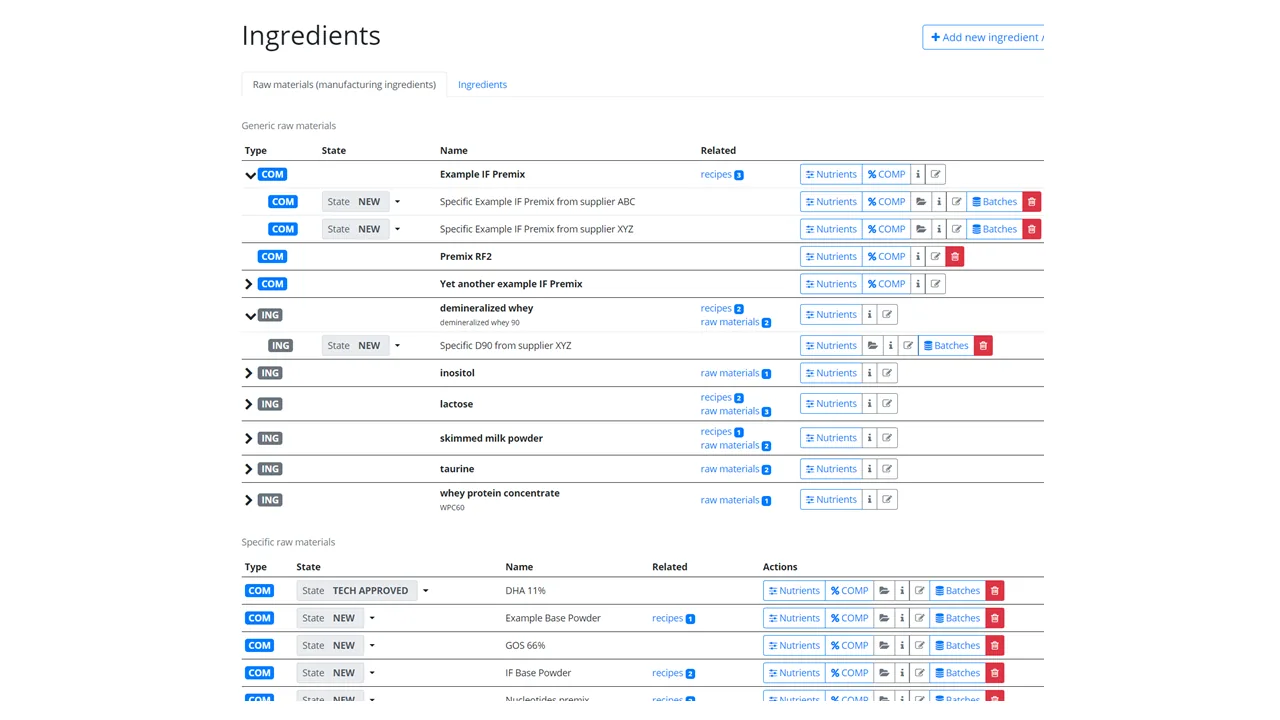
Define and input into the system all the raw materials
Golden Source of knowledge on all the raw materials available at your manufacturing site.
- Attach and store safely and securely documents (for example suppliers' specifications)
- See where each raw material is used (in which recipes)
- Everything is nicely organized
- The raw materials can go through a well-defined, multi-person approval process. Approved ingredients are locked for editing.
-
Step 3 of 12
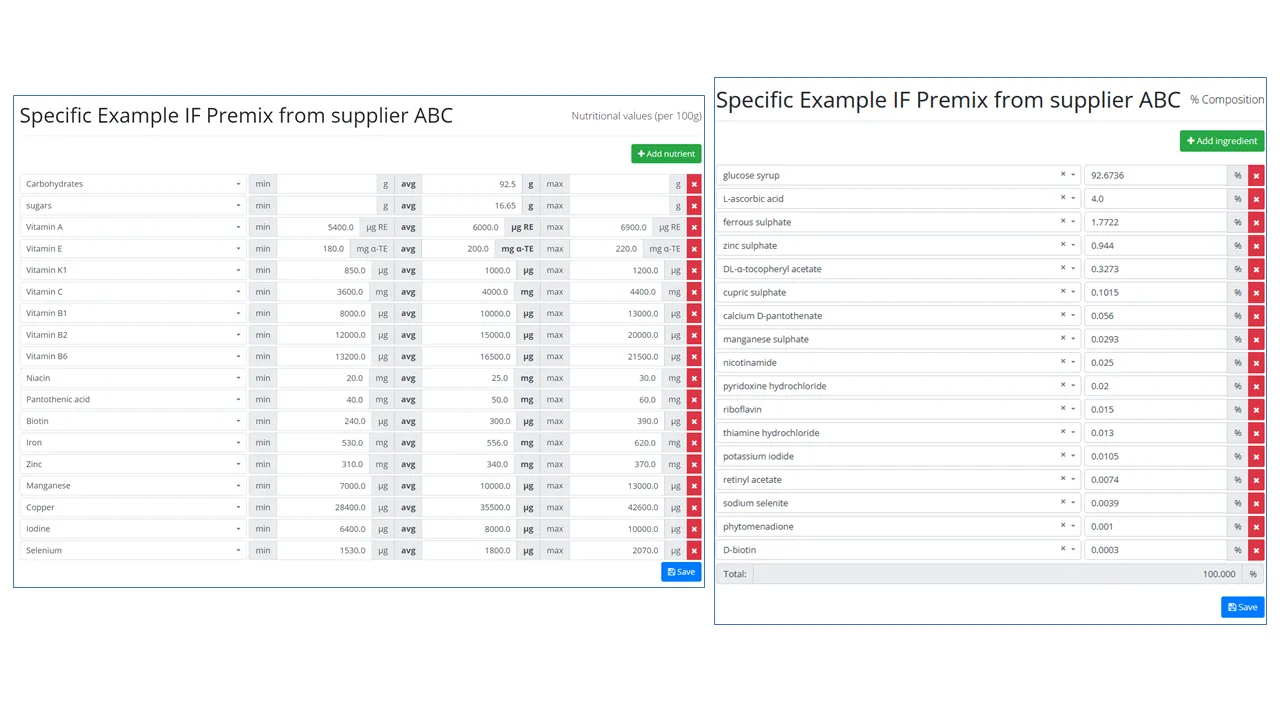
Add information about your raw materials' nutrients and their composition
It is useful to tell RecipeMaster.cloud all the details about every raw material:
- input all nutrients (min, max and average expected amounts), and
- define the percentage composition of all the ingredients which particular raw material consist of.
-
Step 4 of 12
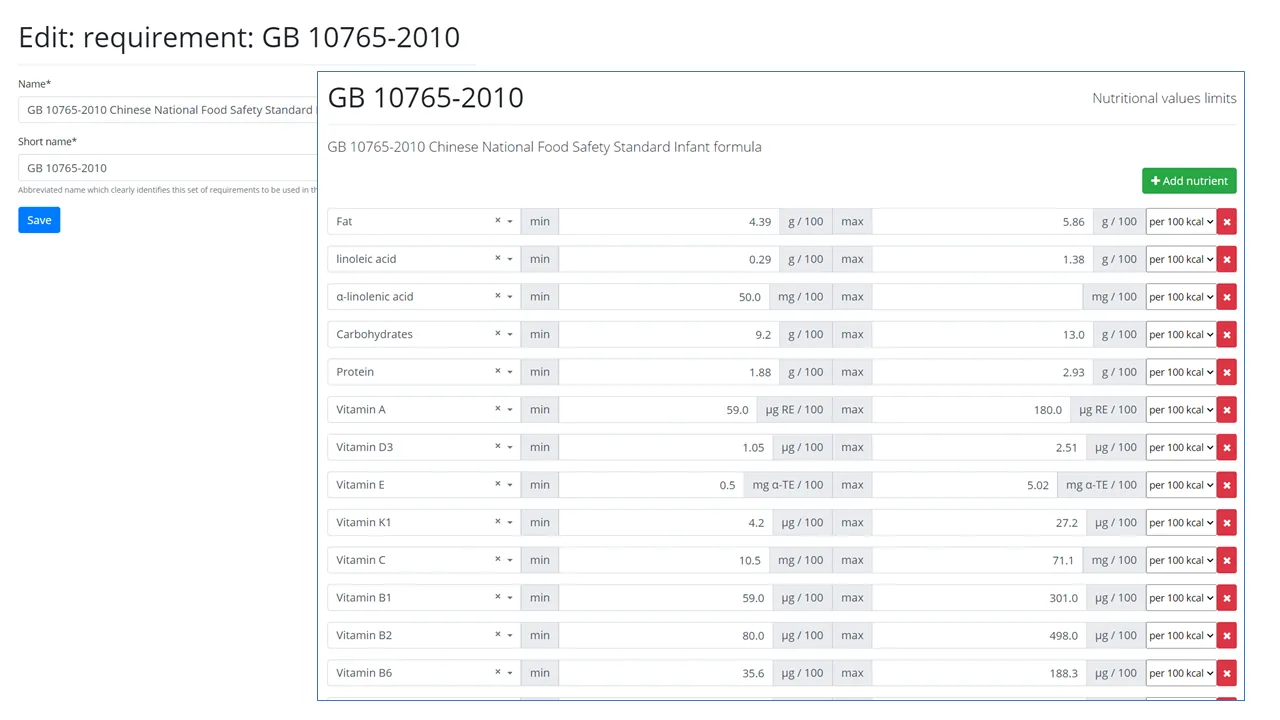
Define nutritional requirements for your recipes
Input into RecipeMaster.cloud any number of customer or regulatory nutritional requirements to allow the system to automatically check recipes against them and verify compliance after every modification in real time.
-
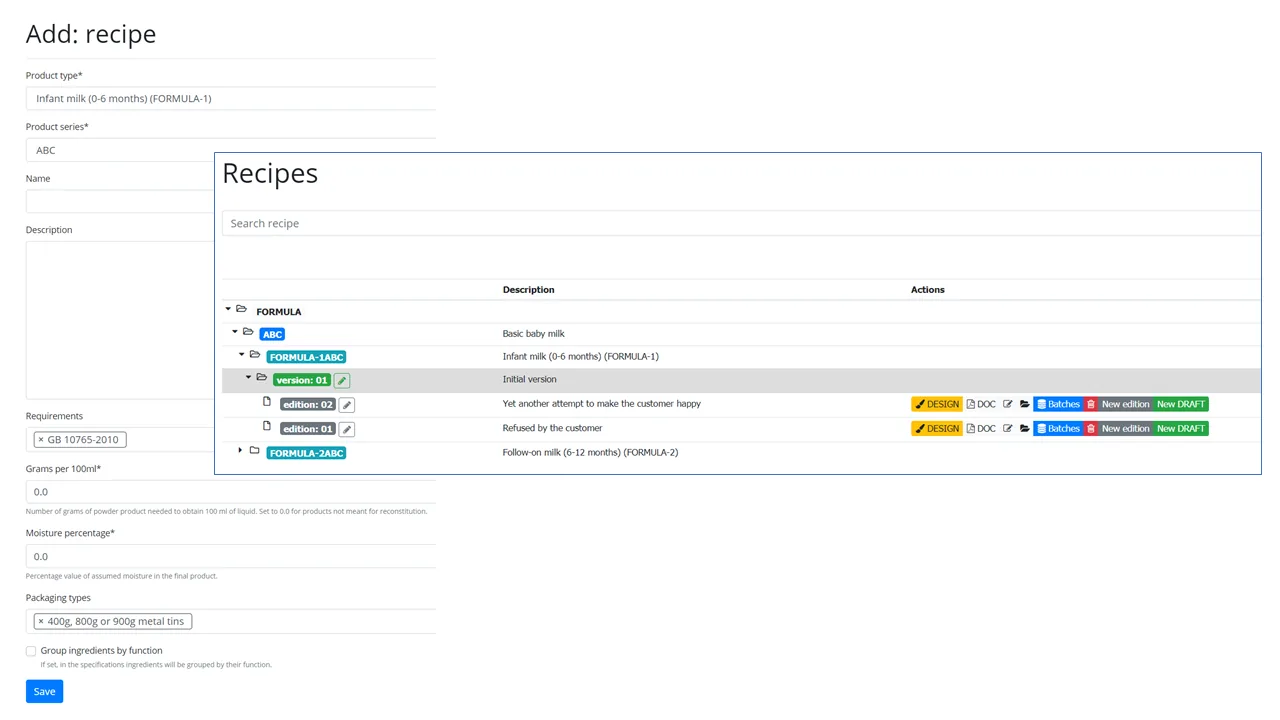
Step 5 of 12
Add new recipe for your product
In RecipeMaster.cloud you can define different versions and editions of each recipe allowing flexibility and appropriate control of changes
-
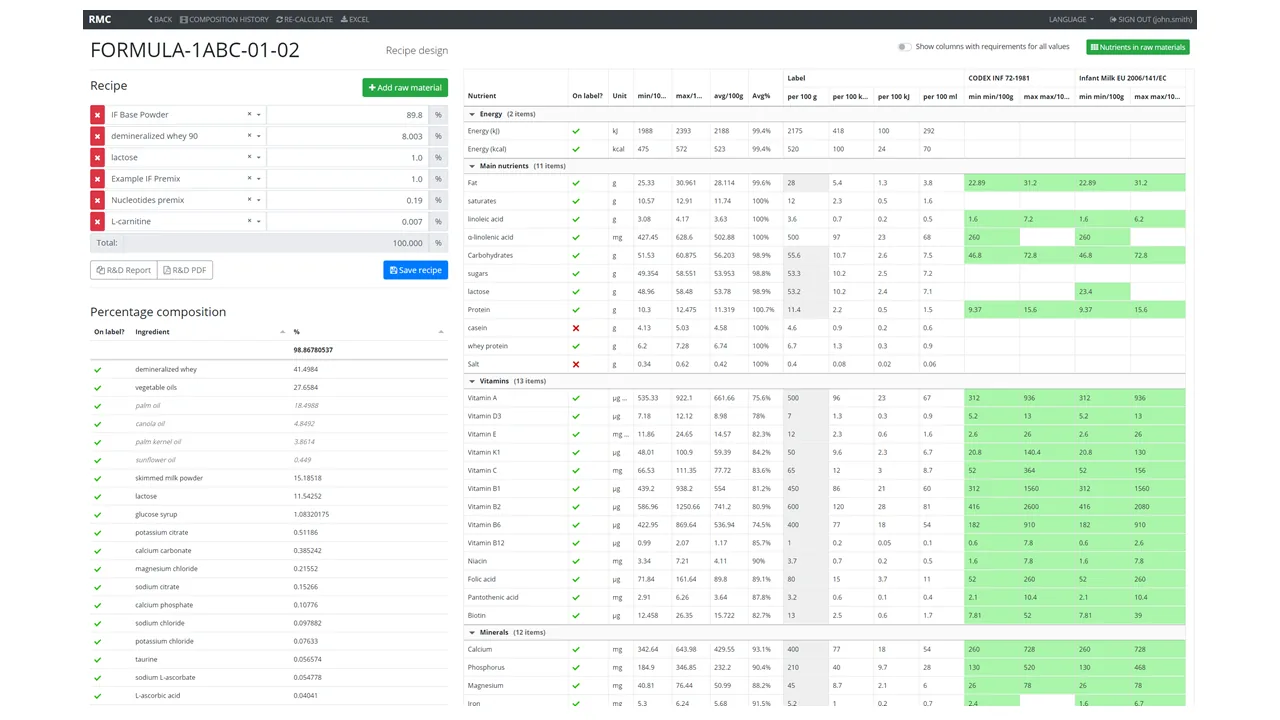
Step 6 of 12
Design recipes
In RecipeMaster.cloud you can conveniently design recipes and see the full nutritional profile as well as resulting list of ingredients in real-time
- Choose raw materials and their content in the recipe
- Nutrients (min-max-average) and ingredients are calculated in real-time
- Recipes are verified against chosen requirements in real-time
- Label values can be set as required and the system calculates how far are they from the expected, average values.
-
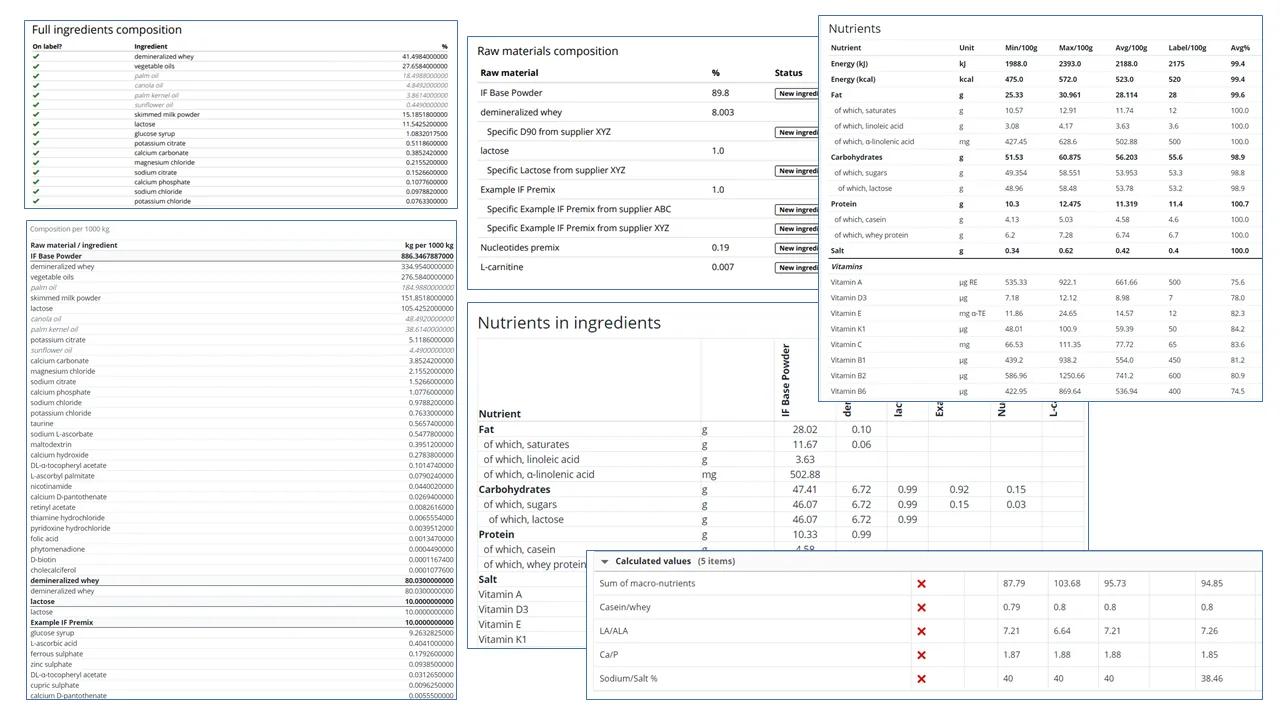
Step 7 of 12
Review recipe details
RecipeMaster.cloud provides all kinds of analytical reports allowing you to see the details of the designed recipe and verify its compliance with the requirements as well as expectations.
-
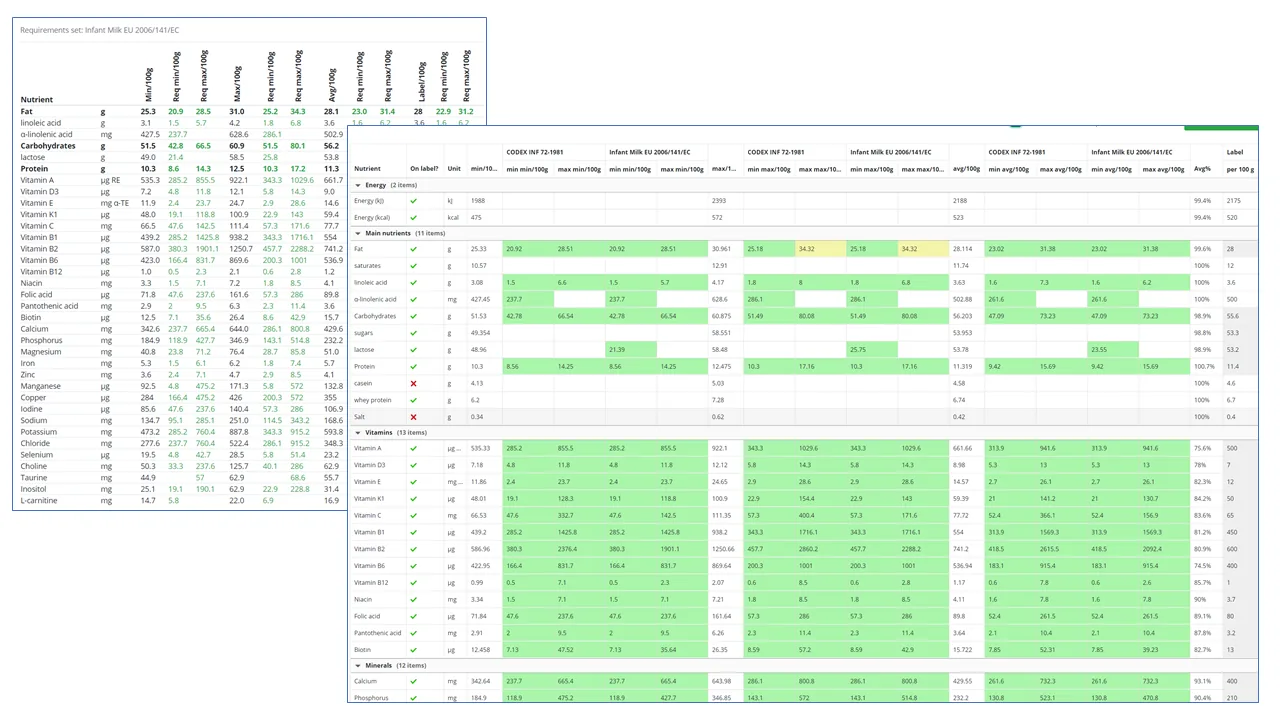
Step 8 of 12
Verify against requirements
Easily see whether the recipe is safe - whether it fulfils all the nutritional requirements at all times, even if the nutrients are at their minimums or maximums in the raw materials
ALL GREEN = ALL GOOD
-
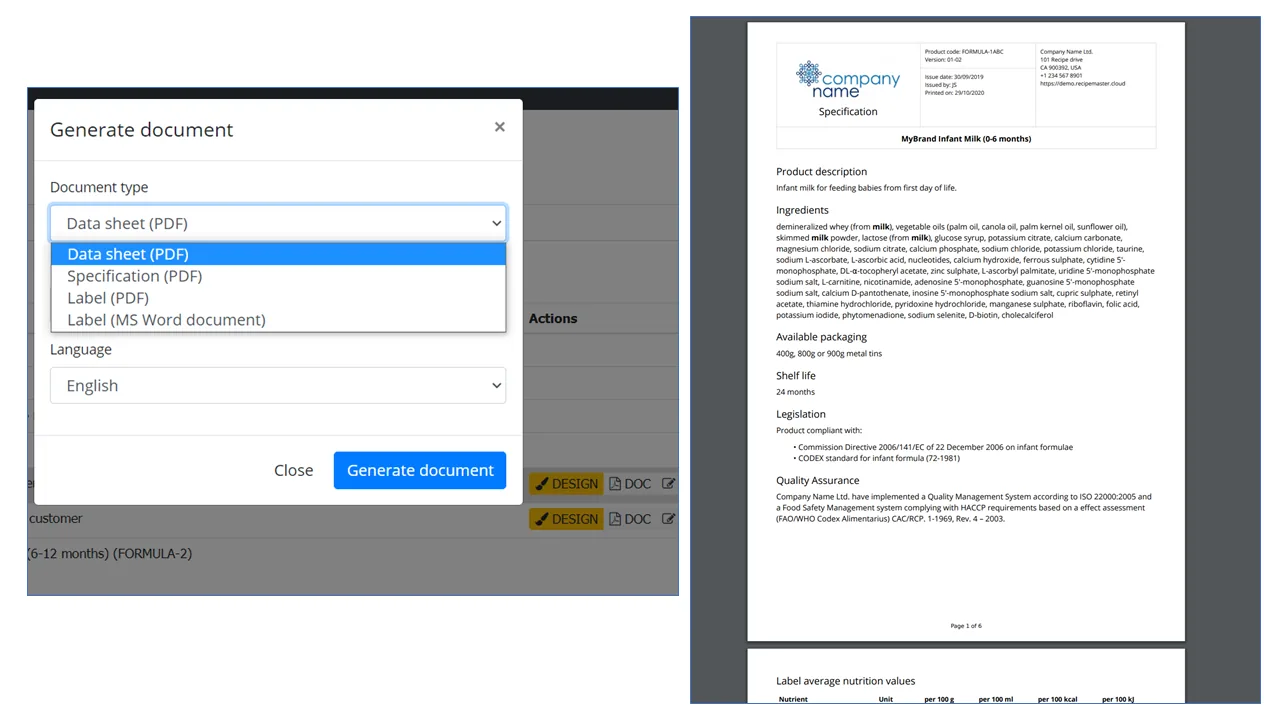
Step 9 of 12
Generate and print documents
RecipeMaster.cloud allows you easily to generate and save in PDF or print beautifully and profesionally looking documentation for your recipes immediatelly after creating them
The documents always have perfect layout and contain correct information, according to the preset template
-
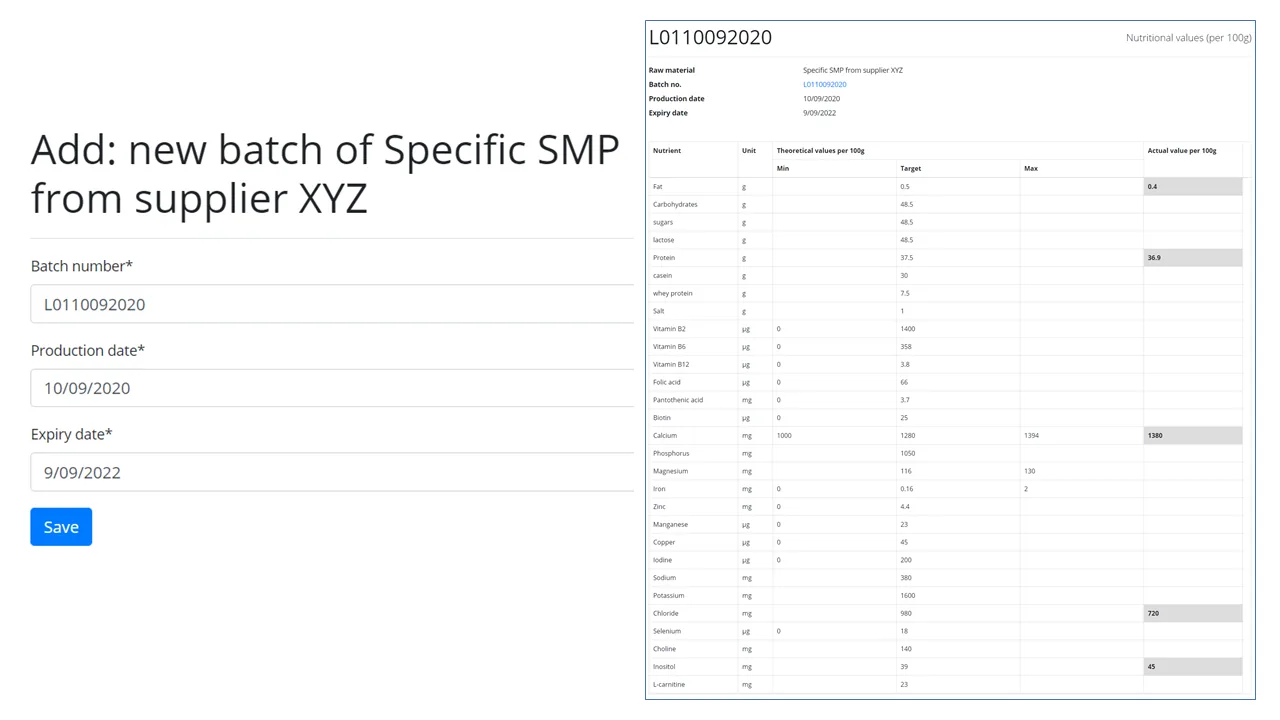
Step 10 of 12
Input information on raw materials' batches
You can input into RecipeMaster.cloud details on the actual batches of raw materials which you receive from your suppliers - with actual nutritional values.
This allows the system to simulate what will be the nutritional profile of a food product which you are going to produce.
-
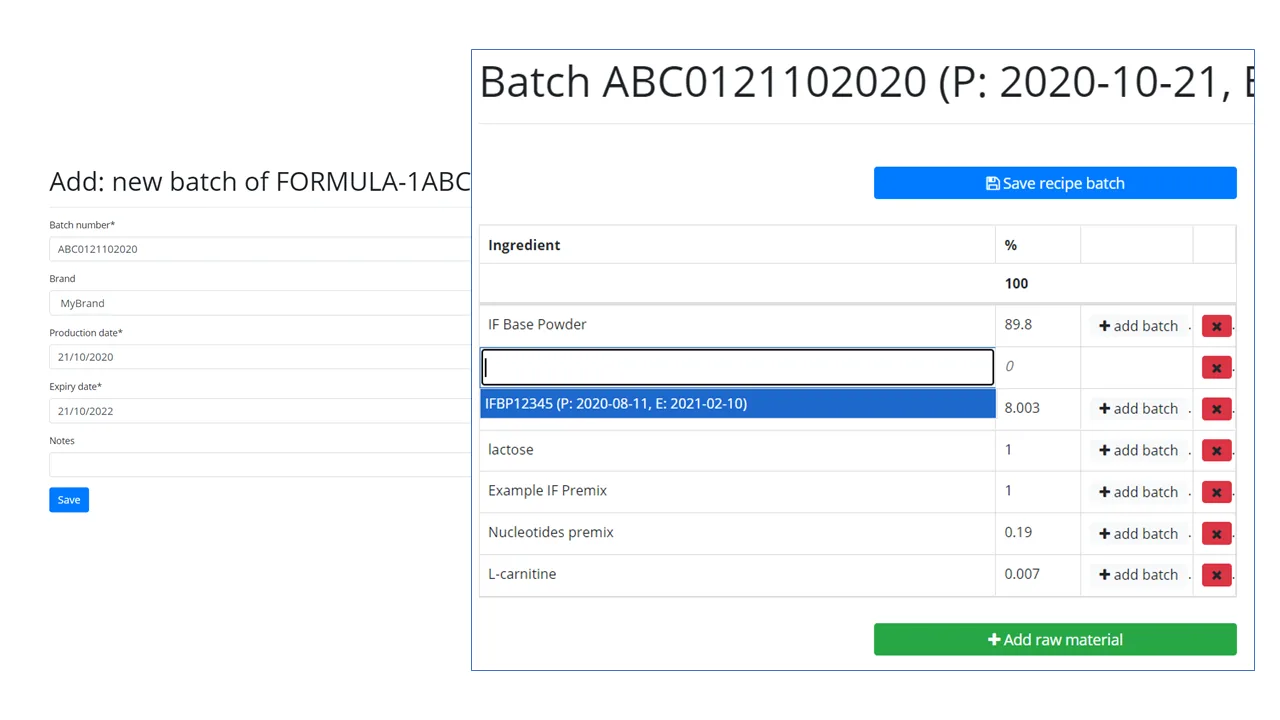
Step 11 of 12
Define product batch
Define the exact composition of this particular product batch (which batches of raw materials will be used)
-
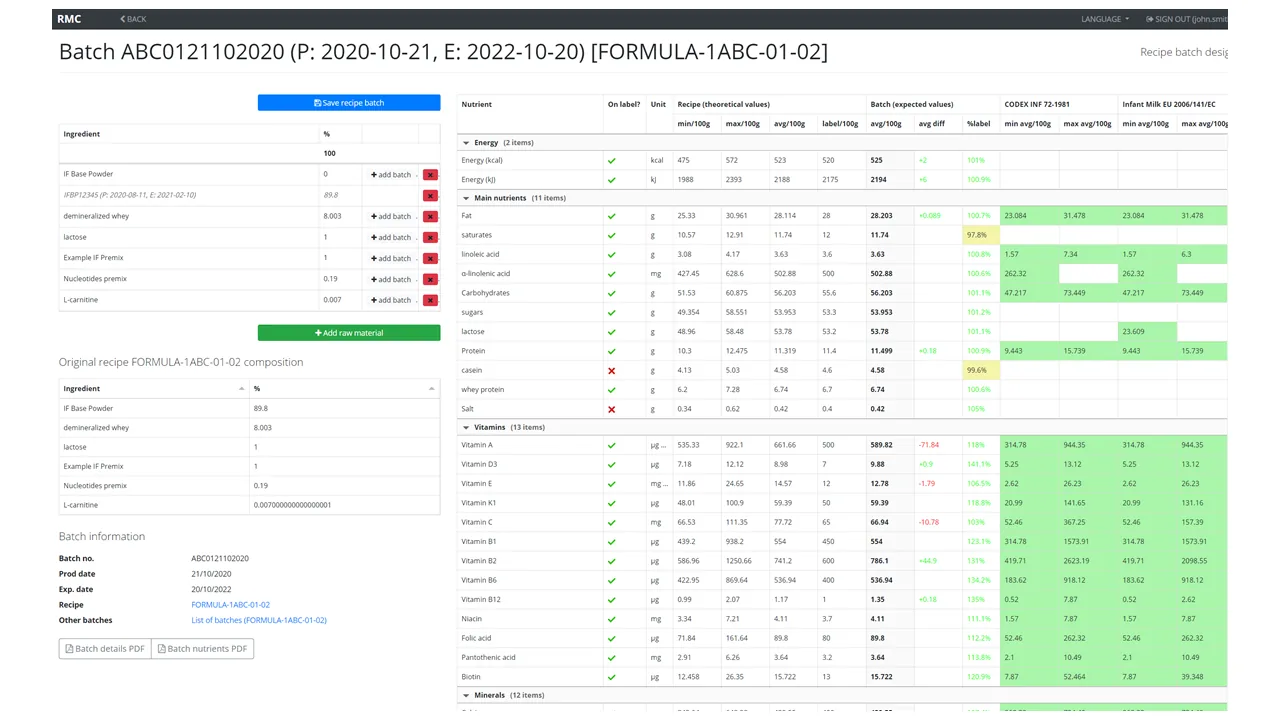
Step 12 of 12
Verify product batch compliance
Make sure the label declarations are still OK for this batch (they are not lower than what we expect)
Easily see the difference between the model recipe and this batch for each nutrient
Make adjustments if necessary to avoid quality problems after production takes place.